

VISUAL CHATBOT
Build conversation flows without writing a single line of code
Drag-and-drop visual editor to create automated service flows. Works on WhatsApp, Instagram and Website.
Features
What you can do
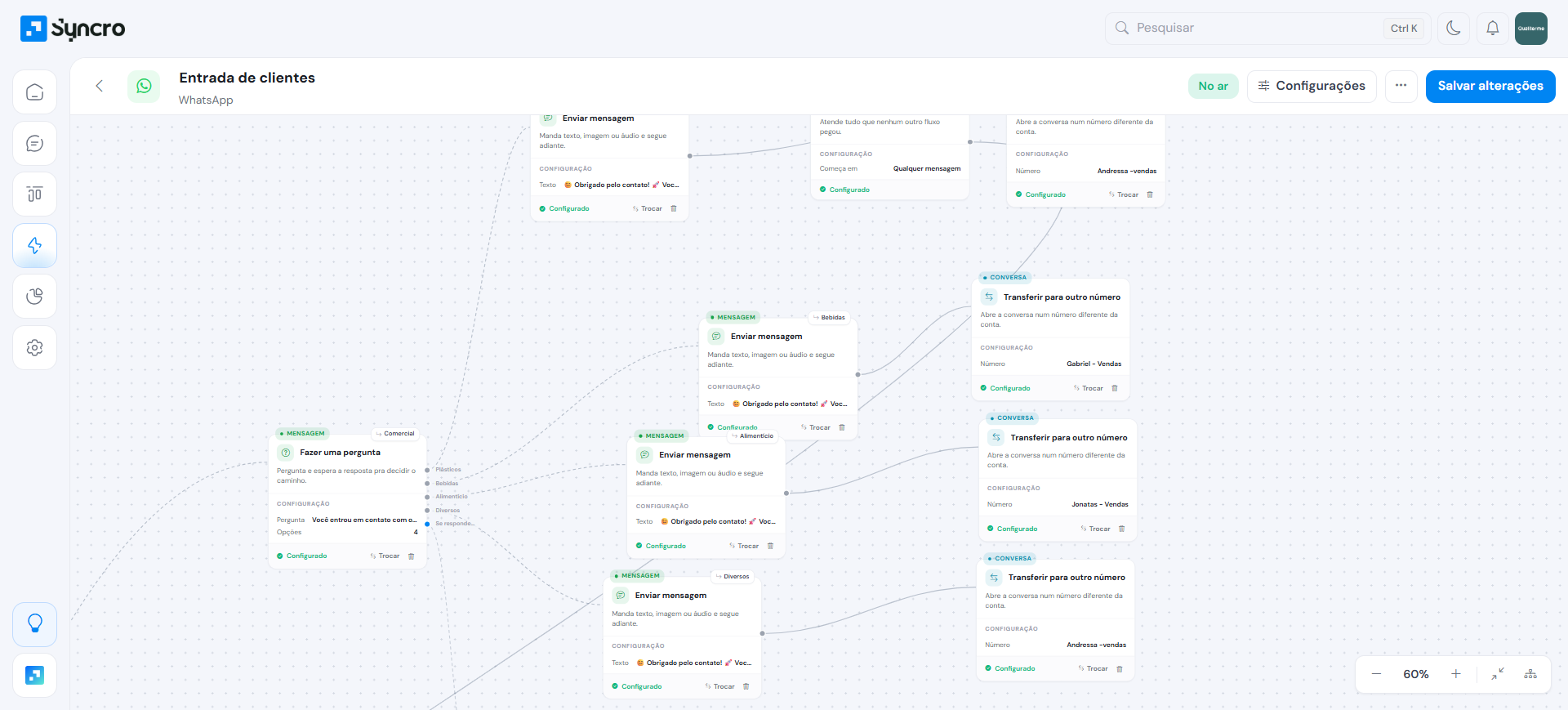
Visual canvas
Drag nodes and connect them with Figma-style arrows. Intuitive interface anyone can use.
Node types
Message, question, condition, action, delay and end. Each node configured visually without code.
Dynamic variables
Capture and use conversation data like name, email, phone. Personalize every interaction automatically.
Smart triggers
Activate by keyword on WhatsApp or comment on Instagram. Bind to a specific instance.
Details
No-code service automation
Create flows that respond to customers, collect data and route to the right agent — all visually.
- Interactive lists and quick reply buttons (WhatsApp Cloud API)
- Card carousel for Website
- Conditional branching (if/else)
- Actions: change stage, add tag, webhook, assign AI
- Multi-channel: same flow on WhatsApp, Instagram and Website
- Up to 30 flows on the Scale plan
Clear your doubts
The questions that come up most about this feature.
No. The builder is 100% visual: you drag nodes and connect them with Figma-style arrows. Anyone on the team can build a flow without writing code.
The same flow works on WhatsApp, Instagram and Website, so you build it once and serve every channel.
It can. Action nodes change the lead's stage, add tags, trigger webhooks and assign the conversation to the AI agent or a human.
By smart triggers, such as a keyword on WhatsApp or a comment on Instagram, bound to the specific instance you choose.
Ready to see Syncro running on your WhatsApp?
5 days free, no credit card. Connects in 2 minutes and you already see the first lead landing in the pipeline.