

CRM & PIPELINE
Visual funnel that shows exactly where each deal is
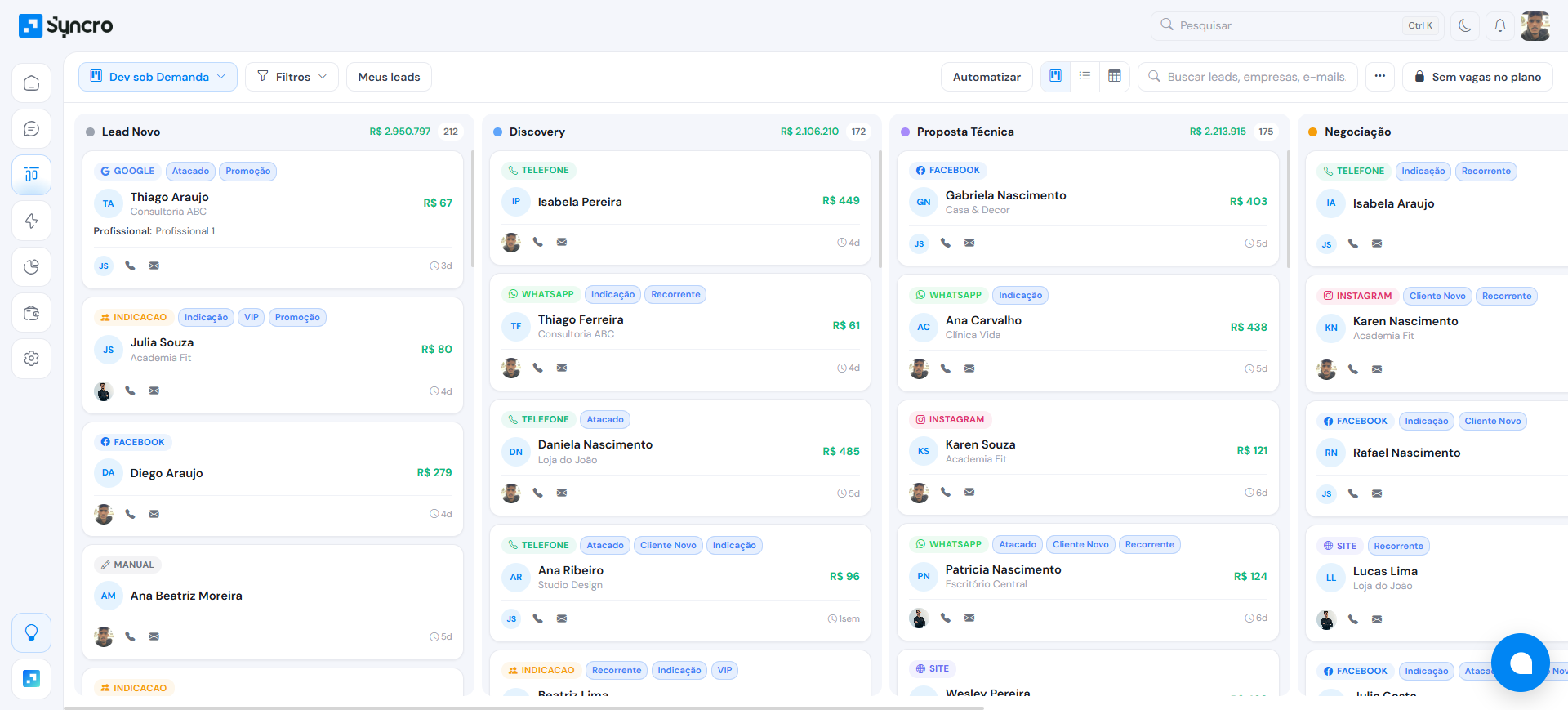
Organize your leads in a drag-and-drop Kanban with multiple pipelines, customizable stages and full visibility of every deal.
Features
What you can do
Multiple pipelines
Set up separate funnels by business type, product or team. Each pipeline with its own stages and metrics.
Customizable stages
Create, reorder and rename funnel columns. Define won and lost stages with loss reasons.
Duplicate detection
Automatic detection by fuzzy matching of phone, email and name. Atomic merge without losing data.
Advanced filters
Filter by pipeline, owner, tags, custom fields, UTM and date. Switch between Kanban and table view.
Excel Import/Export
Import and export leads via Excel/CSV with automatic column mapping.
List view and metrics
Switch between Kanban and table. See conversion metrics by stage and average closing time.
Details
Complete management of your sales funnel
Syncro's CRM was built for sales teams that need full visibility over every deal.
- Drag and drop cards between stages
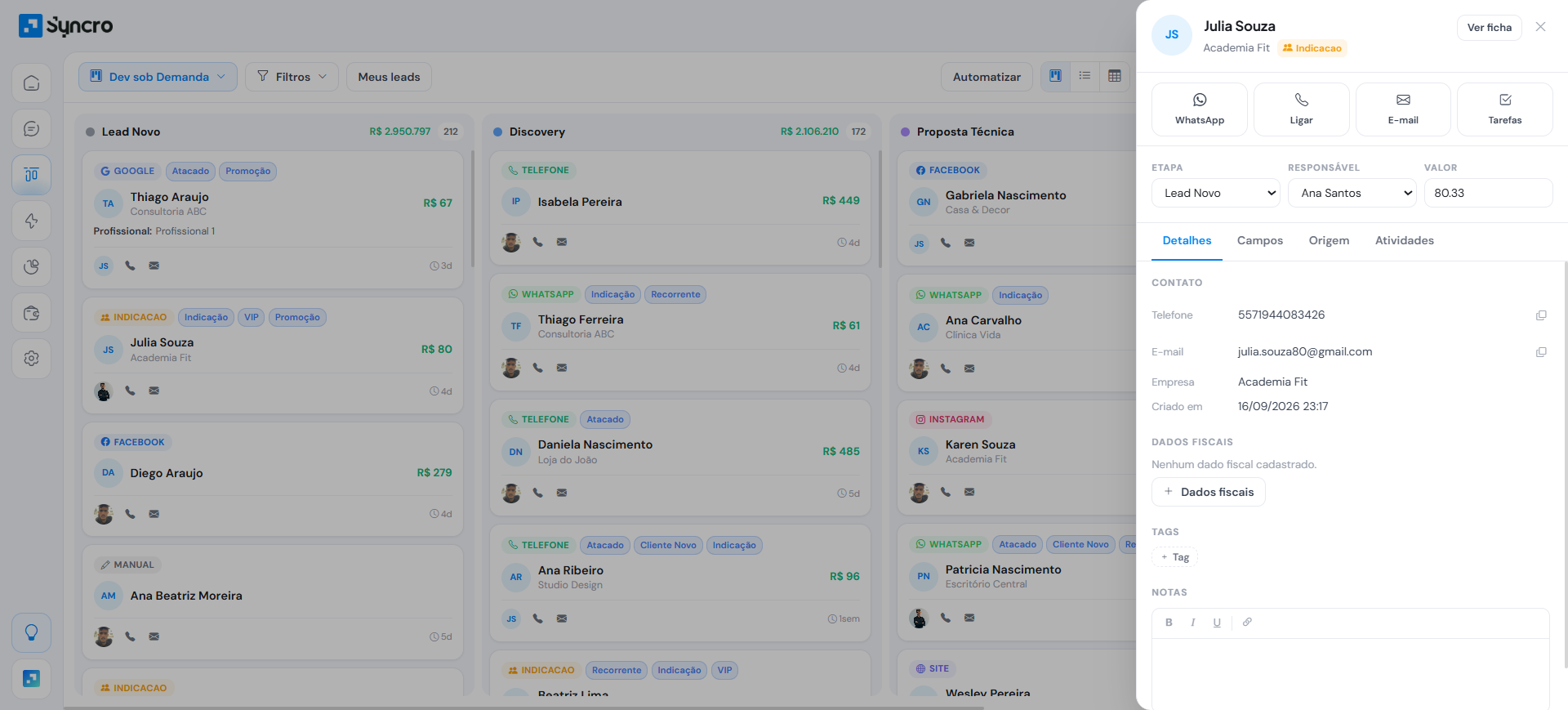
- Complete lead profile with event history
- Internal notes and attachments per lead
- Linked products with quantity and discount
- Custom fields (10 types)
- Static and dynamic contact lists
Clear your doubts
The questions that come up most about this feature.
It's a sales CRM with a visual Kanban funnel where you drag and drop leads between stages. It supports multiple pipelines, customizable stages, duplicate detection and advanced filters, all integrated with WhatsApp and the AI agent.
Yes. You can create multiple pipelines separated by business type, product or team, each with its own stages and conversion metrics.
Syncro automatically identifies duplicate leads through fuzzy matching of phone, email and name. The merge is atomic, so you combine contacts without losing history, notes or attachments.
Yes. You can import and export leads via Excel or CSV spreadsheets with automatic column mapping, no technical help required.
Ready to see Syncro running on your WhatsApp?
5 days free, no credit card. Connects in 2 minutes and you already see the first lead landing in the pipeline.